I have seen a lot of confusion over the discussion of MIDI. Many of us know what it is and how to use it, but we keep on learning new ways to take advantage of this amazing communication protocol. New MIDI equipped products are hitting the market every year, but if you are starting out or curious you probably just want to know what is MIDI really?
The definition is rather simple; Musical Instrument Digital Interface.
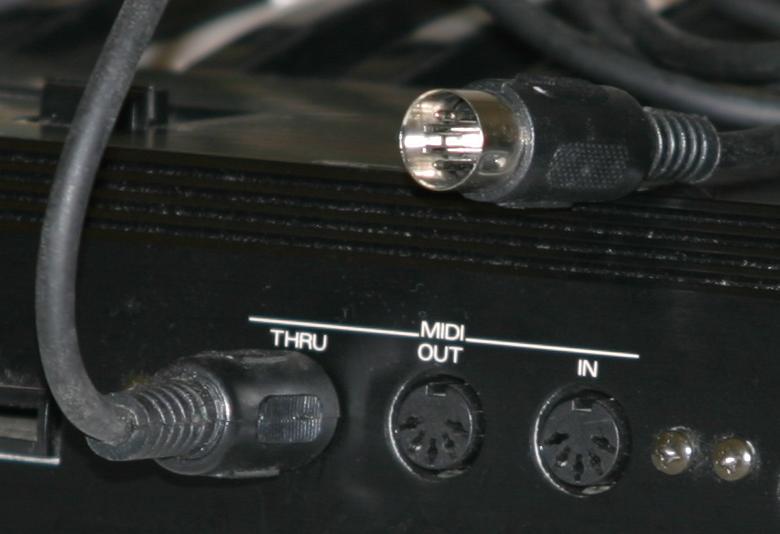
It is a way for devices that have the MIDI feature to communicate to other devices that have the same feature. Typically you will see the following ports on the devices:
IN
OUT
THRU (also an out, put this is a pass-through from an external MIDI device)
These simply let you know where the flow of communication is headed. These ports and the cables connecting them communicate one-way. If you want the 1st device to send MIDI data to the 2nd device, connect the OUT from device 1 and connect it to the IN of device 2. To have the same data from 1st device also sent to a 3rd device, connect the THRU (out) from the 2nd device to the 3rd device’s IN port.
MIDI has set up 16 channels for separate communications within each device. Now, here is the kicker. What does it do?
The confusion comes from the idea that MIDI allows you to record or transmit and layer sounds. Try to think of it this way – MIDI transmits physical activity applied to the device.
It has no sounds. It makes no noise.
But if the player or performer plays a keyboard as the 1st device, MIDI will transmit the physical movement of the keyboard …. This can include what key(s) on the keyboard, how fast or hard they were hit, how much pressure was applied to the key(s) while they are held down, how long it was held, if the sustain pedal is pressed, if the modulation wheel is moving and a lot of other information. When you capture or record the MIDI data of the performance, it will play back those movements. If the 2nd device is a tone generator or sound module whatever sound is selected will respond to the MIDI ‘performance’. If you change sounds, the performance will be in the new sound.
If the 1st device is a drum pad or trigger, the same thing applies. The trigger will send MIDI data detailing which trigger is used, how hard it is hit and in some pad designs it will detect the area of impact and will trigger multiple sounds depending in zone and velocity of the strike.
I will continue the over view later on in this series.

 MidiMike